Learning Resources
The following resources are helpful for getting started with Python.
- https://www.boot.dev/
- https://www.codecademy.com/learn/learn-python
- https://www.youtube.com/playlist?list=PLUl4u3cNGP62A-ynp6v6-LGBCzeH3VAQB
- https://pll.harvard.edu/course/cs50s-introduction-programming-python
Colab
Google Colab is an online programming platform. It has pros and several cons, but we will use it as a sandbox for playing with Python.
Go to https://colab.research.google.com/ and start a new notebook by clicking 
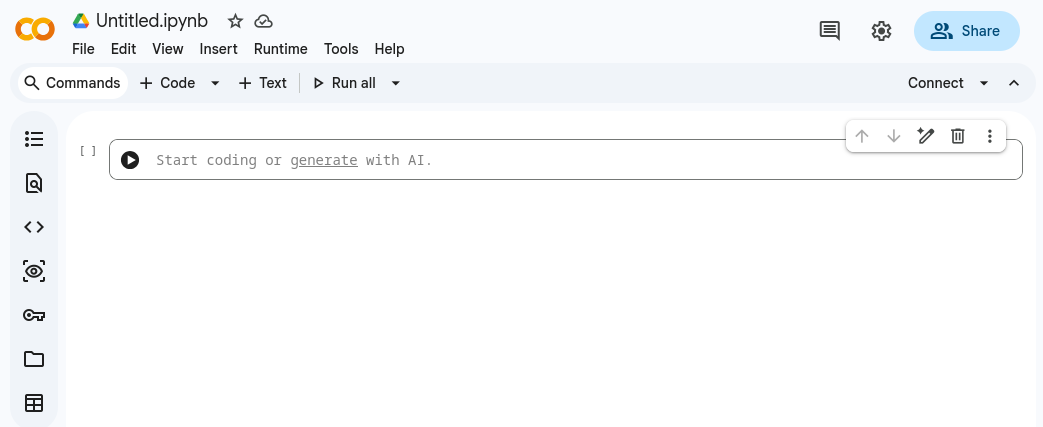
You will see an empty notebook that looks like this:
First Line of Code
Add the code print("Hello World") to your code and run the cell by pressing [Shift]-[Enter]

You should see the output displayed below your code. Try changing the text within the quotes and running the cell again.
A Simple Plot
In the next code cell, enter and run the following code to create a simple plot.
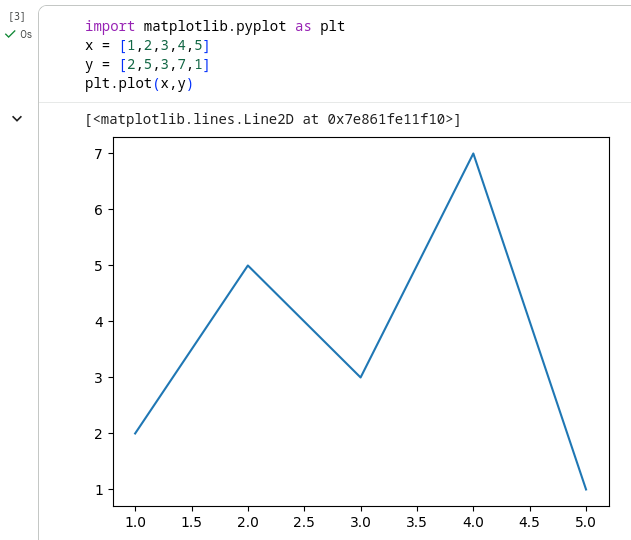
If you type something incorrectly then you will get an error message that might help you locate the problem.
An Introduction to Python Notebooks
Follow this link to the Github where you will see a notebook.
Click the  button at the top and complete the notebook. Or better yet, read through and type the code into a new notebook yourself!